April 28, 2026
Square POS Cost for Restaurants: What You'll Actually Pay
If you've been researching point-of-sale systems, you've probably seen Square promoted as a "free" option. And sure, the basic software is free to download. But when you start digging into the Square POS cost for restaurants, the picture gets more complicated. Processing fees, hardware, add-on subscriptions, and premium features all add up faster than you might expect.
This guide walks you through every layer of Square's pricing so you can figure out what your restaurant would actually pay each month. No jargon, no fine print surprises. Just a clear, honest look at the numbers.
How Square's "Free" POS Actually Works
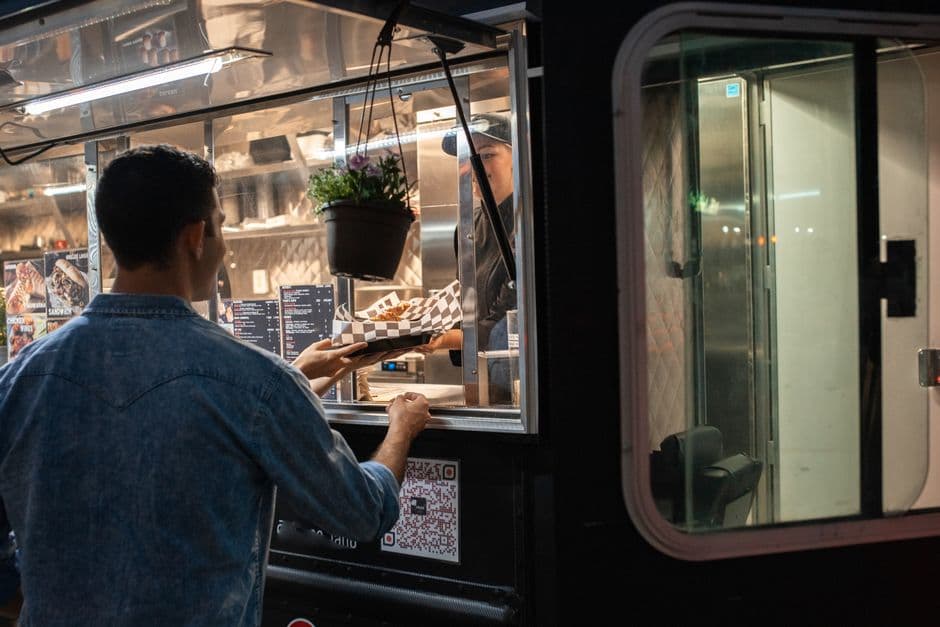
Square's free tier, called Square for Restaurants Free, gives you a basic POS system with no monthly software fee. You download the app, set up your menu, and start taking orders. For a very small operation, like a food truck doing modest volume, that can work.
But "free" only means you're not paying a monthly subscription for the software itself. You're still paying Square every single time a customer swipes, taps, or dips a card. And once you need features like advanced reporting, multiple terminals, or kitchen display systems, you'll likely need to upgrade to a paid plan.
Think of it this way: the free tier is the front door. Square makes its real money once you're inside.
Square POS Cost for Restaurants: Monthly Software Fees
Square currently offers tiered plans for restaurants:
Free Plan ($0/month): Includes basic POS functionality, simple menu management, and basic reporting. You get one terminal location and limited customization. It's a starting point, not a long-term solution for most sit-down restaurants.
Plus Plan (starts around $60/month per location): This is where most independent restaurants land. You get course management, table mapping, auto-86ing (marking items as unavailable), advanced reporting, and the ability to reopen closed checks. If you run a full-service restaurant, you'll almost certainly need this tier.
Premium Plan (custom pricing): Designed for higher-volume or multi-location restaurants. You'll need to contact Square's sales team for a quote. This tier often comes with lower processing rates, which can matter significantly if you're doing north of $250,000 in card sales annually.
What Most Restaurant Owners Actually Choose
In practice, most independent restaurant owners with a dining room and a handful of employees end up on the Plus plan. The free plan simply doesn't have the operational features you need once you're managing tables, courses, and a full kitchen workflow. So budget at least $60/month for software before anything else.
Credit Card Processing Fees: The Biggest Ongoing Cost
This is where the real money goes. Regardless of which software plan you choose, Square charges a processing fee on every transaction:
In-person payments: 2.6% + $0.10 per transaction Online orders: 2.9% + $0.30 per transaction Manually keyed-in payments: 3.5% + $0.15 per transaction
Let's put that in real terms. If your restaurant processes $30,000/month in card sales (almost all in-person), you're looking at roughly $810 in processing fees alone. Over a year, that's about $9,720.
If a decent chunk of your business comes from online orders, the cost goes up. Online transactions carry a higher rate, and those $0.30 per-transaction fees add up quickly on smaller orders. A $12 lunch order loses almost 3.4% to processing when you factor in the flat fee.
For comparison, traditional merchant account processors sometimes offer lower effective rates for restaurants doing high volume, though they may charge monthly fees and have less transparent pricing. Square's simplicity is its selling point, but that simplicity comes at a premium for busy restaurants.
Hardware Costs: What You'll Need to Buy
Square sells its own hardware, and while you can technically run the POS on an iPad you already own, most restaurants invest in dedicated equipment. Here's what the hardware lineup looks like:
Square Reader (contactless + chip): Around $49 for the first one (sometimes free with a new account). This is the small handheld reader. Fine for a food truck, but not ideal for a busy counter.
Square Terminal: Around $299. A portable, all-in-one device with a built-in screen and receipt printer. Works well for counter-service spots.
Square Register: Around $799. A full countertop setup with a customer-facing display. This is what most sit-down restaurants lean toward for their main checkout station.
Square Stand (iPad-based): Around $149 (iPad not included). You mount your own iPad and pair it with the stand. Budget another $300 to $500 for the iPad itself.
Kitchen Display System (KDS): Around $20/month per device, plus the cost of a dedicated iPad or display. If you want to go paperless in the kitchen, this adds up.
Most restaurants need at minimum one register or stand at the front, a receipt printer (around $400), a cash drawer (around $100), and possibly a kitchen printer or KDS. A basic single-terminal hardware setup often runs between $800 and $1,500 upfront. Add a second station and you could easily double that.
Add-Ons and Hidden Costs That Catch Owners Off Guard
The base Square POS cost for restaurants is just part of the story. Here's where owners frequently get surprised:
Square Online ordering fees: If you use Square's built-in online ordering, you pay the higher 2.9% + $0.30 processing rate. There's no monthly fee for the basic version, but advanced features like delivery coordination cost extra. And if you rely on Square's integrated delivery logistics, you may see per-order delivery fees as well.
Square Loyalty: Starting around $45/month. If you want a digital loyalty or rewards program built into your POS, it's an add-on.
Square Marketing (email and text campaigns): Starting around $15/month, scaling with your contact list size. This covers basic email marketing and text message campaigns to your customer database.
Square Payroll: Starting around $35/month plus $6 per employee. If you want to run payroll through Square, that's a separate product with separate pricing.
Chargeback fees: Square charges $0 for chargebacks, which is actually a nice perk compared to many processors. But chargebacks themselves still mean lost revenue.
Early termination: Square doesn't lock you into contracts, so there's no cancellation fee. That's a genuine advantage.
When you stack these add-ons together, a restaurant paying $60/month for POS software could easily be paying $150 or more per month in Square subscriptions before processing fees even enter the equation.
How Square Compares to the Bigger Picture
Square's strength is simplicity. One company, one ecosystem, no long-term contracts. For a new restaurant owner who doesn't want to negotiate with payment processors, sign hardware leases, or juggle multiple vendors, that's genuinely appealing.
The trade-off is flexibility. You're locked into Square's processing rates unless you qualify for custom pricing. You can't shop around for a cheaper processor and pair it with Square's software. And as your needs grow, each new feature comes with a new line item on your bill.
Some restaurant owners find that once they add up all the Square subscriptions they need (POS, marketing, loyalty, payroll, online ordering), they're paying as much as they would for a more full-featured restaurant management platform that bundles those tools together.
FAQ
Is Square POS really free for restaurants? The basic software is free, but you'll pay processing fees on every card transaction, and most restaurants need the $60/month Plus plan for essential features. Hardware is also a separate purchase.
How much does Square charge per transaction for restaurants? For in-person card payments, it's 2.6% + $0.10. For online orders, it's 2.9% + $0.30. Manually entered card numbers cost 3.5% + $0.15.
Can I negotiate Square's processing rates? If your restaurant processes a very high volume of card sales (generally $250,000+ annually), you may qualify for Square's custom pricing tier with lower rates. Otherwise, the published rates are standard.
Does Square charge for online ordering? There's no separate monthly fee for basic Square online ordering, but online transactions are processed at the higher 2.9% + $0.30 rate. Delivery coordination and advanced features may carry additional costs.
Is Square good for a full-service restaurant? It can work, especially on the Plus plan, which includes table management and course features. However, restaurants with complex operations or high volume may find that dedicated restaurant POS systems offer more depth.
Making the Right Choice for Your Restaurant
Understanding the full Square POS cost for restaurants means looking beyond the sticker price. The "free" label gets you in the door, but processing fees, hardware, and add-on subscriptions are where your real budget goes. For many independent restaurants, the total lands somewhere between $1,000 and $1,500 per month once everything is accounted for.
That said, Square isn't a bad choice. It's honest, contract-free, and easy to set up. Just make sure you're comparing apples to apples when you evaluate alternatives.
And whatever POS you choose, don't forget that the system ringing up orders is just one piece of your technology stack. The tools you use to bring customers in the door (your online ordering, your marketing, your reputation management) matter just as much as the tools you use to process their payments. If you're tired of paying separately for a dozen different platforms on top of your POS costs, it might be worth exploring all-in-one solutions like SWIPEBY that bundle marketing, ordering, and customer engagement into a single system built specifically for restaurants like yours.
SWIPEBY AI
Interested in Increasing Sales Using AI?
Book a demo today and learn how SWIPEBY can help you automate marketing, serve more guests, and grow revenue without working more hours.