April 22, 2026
15 Effective Ways to Increase Average Check Size for Online Orders
You've done the hard work. Customers are finding your restaurant online, placing orders, and coming back for more. But when you look at the numbers, you notice something frustrating: the average check size for online orders is lower than you'd like.
You're not alone. Most independent restaurant owners leave money on the table with their online menus because they set it up once and never think about it strategically. The good news? There are simple, proven ways to increase average check size for online orders, and most of them don't require any tech skills or expensive tools. Below, you'll find 15 practical ideas you can start using this week.
1. Add Strategic Upsell Prompts at Checkout
This is the digital version of "Would you like fries with that?" When a customer adds an entree to their cart, your online ordering system should automatically suggest add-ons like a side, a drink, or a dessert. These small prompts can boost ticket size by a few dollars per order, and those dollars add up fast over a month.
If your current ordering system doesn't support automatic upsell prompts, it might be time to upgrade. Look for a platform that lets you customize which items get suggested and when. The best first-party online ordering systems handle this automatically, making it effortless for both you and the customer.
2. Bundle Items into Combo Meals and Family Packs
People love a deal, even when they end up spending more. Create combo meals that pair an entree with a side and drink at a slight discount compared to ordering each item separately. Family packs work especially well for online orders since customers ordering delivery are often feeding a household, not just themselves.
Name your bundles something appealing. "The Weeknight Family Feast" sounds a lot more tempting than "Combo #3." Give each bundle a personality and make the perceived savings clear. When customers feel like they're getting value, they'll happily spend $45 on a family bundle instead of $28 on two entrees.
3. Use Mouthwatering Photos for Every Menu Item
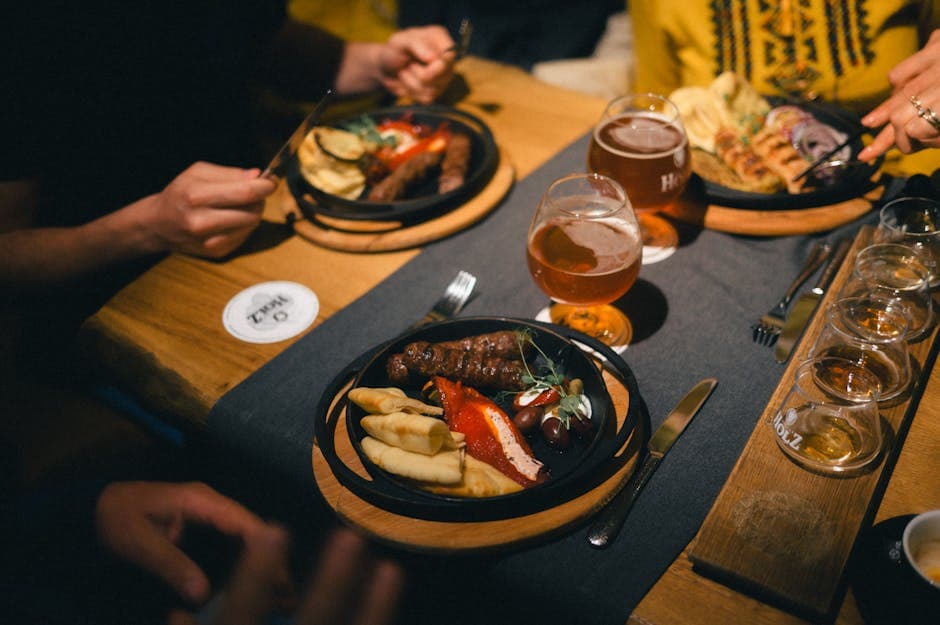
Online ordering is a visual experience. Customers can't smell your kitchen or see the plates coming out. They rely entirely on photos to decide what to order. Items with high-quality photos consistently get ordered more often than items without them.
You don't need a professional photographer. A smartphone, natural light from a window, and a clean background can do wonders. Shoot your highest-margin items first: appetizers, desserts, premium entrees, and those extras you want people to add on. When a customer can see how good that slice of cheesecake looks, they're far more likely to toss it in the cart.
4. Place High-Margin Items at the Top of Each Category
Menu psychology works online just like it does on a paper menu. Customers tend to order items they see first. So don't bury your most profitable dishes at the bottom of a long scrolling list.
Audit your online menu and move your highest-margin items to the top of each category. That $16 specialty burger should appear before the $10 classic cheeseburger. Your $9 loaded nachos appetizer should sit above the $5 side salad. This simple reordering costs you nothing and can meaningfully shift what people choose.
5. Offer a "Premium" Version of Popular Items
Take your best sellers and create an upgraded version. If your chicken sandwich is your number one seller, add a "Loaded Chicken Sandwich" with avocado, bacon, and special sauce for $3 to $4 more. If your pepperoni pizza is king, offer a "Supreme Pepperoni" with extra cheese and premium toppings.
Many customers will choose the premium option simply because it exists. It also makes the original version feel like the "budget" choice, which nudges fence-sitters toward spending a bit more. You're not replacing anything. You're just giving people a reason to treat themselves.
6. Add a Dessert Category and Make It Visible
This sounds obvious, but a surprising number of restaurant owners either skip desserts on their online menu or hide them at the very bottom where nobody scrolls. Desserts are pure profit boosters. They're typically low-cost to produce and add $5 to $10 per order.
Create a dedicated dessert category, give each item a great photo and a short, tempting description, and consider adding a dessert suggestion in the checkout flow. Something as simple as "Don't forget dessert!" with a photo of your brownie sundae can capture impulse purchases that would otherwise never happen.
7. Write Descriptions That Sell, Not Just Describe
There's a big difference between "Grilled chicken salad" and "Tender char-grilled chicken breast over crisp romaine, shaved parmesan, cherry tomatoes, and our house-made lemon herb vinaigrette." The second description makes your mouth water. It also makes the $14 price tag feel completely reasonable.
Spend an afternoon rewriting your online menu descriptions. Focus on sensory words: crispy, smoky, tangy, creamy, house-made, slow-roasted. Mention any premium ingredients. Highlight what makes your version special. Better descriptions don't just increase orders for those items. They increase what customers are willing to pay.
8. Set a Minimum Order Amount for Free Delivery
If you offer delivery, free delivery with a minimum order threshold is one of the most effective ways to increase average check size for online orders. Set the minimum just above your current average ticket. If your average online order is $25, set free delivery at $30 or $35.
Customers will almost always add an extra item to hit that threshold rather than pay a delivery fee. It feels like a win for them, and it's a win for you. Just make sure the minimum is reasonable. Setting it too high will drive customers away instead of encouraging them to spend more.
9. Offer Drinks and Beverages as Easy Add-Ons
Drinks are often overlooked on online menus because owners assume customers have beverages at home. While that's sometimes true, many people will happily add a $3 soda, a $4 lemonade, or a $7 specialty drink if you make it easy and appealing.
Create a clear "Beverages" category and include options at various price points. If you serve craft sodas, fresh-squeezed juices, or signature drinks, these are high-margin items worth highlighting. And always include a drink suggestion when someone adds an entree to their cart.
10. Use Limited-Time Offers to Create Urgency
"Available this week only" is a powerful motivator. Limited-time items, whether it's a seasonal special, a chef's creation, or a holiday-themed meal, encourage customers to order now rather than later. They also tend to be priced higher because they feel exclusive.
Promote these specials on your online menu with a dedicated "Specials" or "Limited Time" category at the top. Pair this with social media posts and email blasts to your existing customer base. When customers come to your site for the special, they often add their regular favorites too, increasing total ticket size. If you're already using email remarketing to reach past customers, limited-time offers give you the perfect reason to send a campaign.
11. Offer Extras and Modifications for a Fee
Let customers customize their orders, and charge appropriately for it. Extra cheese, extra protein, a side of sauce, substitute sweet potato fries, add guacamole. These small additions typically cost you very little but add $1 to $3 per modification to the check.
Make sure your online menu clearly shows available add-ons for each item. The easier you make it to customize, the more customers will do it. People love feeling like they're building their perfect meal, and every customization is incremental revenue for you.
12. Create an "Add-Ons" or "Extras" Category
Beyond item-level modifications, consider a standalone "Extras" category on your menu. This is where you list things like extra dipping sauces, a side of garlic bread, a cup of soup, or a small side salad.
These items catch the eye of customers who are reviewing their cart before checkout. They're low-commitment purchases, usually under $5, that feel easy to justify. "Oh, I should grab some extra ranch" or "A cup of soup would be nice" can turn a $22 order into a $27 order without the customer thinking twice.
13. Show "Most Popular" or "Staff Picks" Labels
Social proof works. When customers see that something is labeled "Most Popular" or "Staff Pick," they're more likely to order it. Use these labels strategically on higher-priced or higher-margin items to guide customers toward bigger tickets.
You can also create a "Most Popular" category at the top of your online menu featuring your best-selling premium items. This serves double duty: it makes choosing easier for new customers (reducing menu paralysis) and steers them toward the items that help your bottom line the most.
14. Price Your Online Menu Strategically
Take a close look at your online menu pricing. Many restaurant owners simply copy their dine-in prices, but online ordering has different economics. You're saving on table service labor and can sometimes justify slightly higher prices, especially if you're offering the convenience of delivery.
Also consider your price points in relation to each other. If you have two similar entrees at $13 and $15, the $15 one often feels like a negligible upgrade. But if everything is clustered at one price point, customers have no reason to trade up. Create clear tiers so there's always a slightly better option worth a couple more dollars.
15. Follow Up After the Order to Drive Bigger Next Purchases
The sale doesn't end when the food leaves your kitchen. Following up with customers through email after their order is a proven way to increase future check sizes. A simple "Thanks for your order! Next time, try our new loaded fries" keeps your restaurant top of mind and introduces them to items they haven't tried yet.
Over time, customers who receive these follow-ups develop a broader awareness of your menu and tend to order more variety, which translates into higher average checks. This is one of those small habits that compounds into real revenue over months and years.
Frequently Asked Questions
What is a good average check size for restaurant online orders?
It varies widely by restaurant type and market, but most independent restaurants see online order averages between $25 and $45. The important thing isn't hitting a specific number. It's consistently growing yours over time. Even a $3 increase per order can translate into thousands of dollars in additional monthly revenue.
How quickly will I see results from these changes?
Some changes, like adding upsell prompts, reordering your menu, or setting a delivery minimum, can show results within days. Others, like improving food photography or rewriting descriptions, may take a couple of weeks to implement but tend to have a lasting impact. Start with the easiest changes first and build from there.
Should I raise my online menu prices to increase check size?
Raising prices is one option, but it's usually better to focus on getting customers to add more items to their order rather than simply charging more for the same things. Strategies like bundles, upsells, and premium versions grow the check size while maintaining or even improving the customer's perception of value.
Does this work for pickup orders too, or just delivery?
Every strategy on this list works for both pickup and delivery orders. The delivery minimum for free delivery is obviously delivery-specific, but everything else, from better photos to combo meals to dessert prompts, applies regardless of how the customer gets their food.
How do I know which changes are working?
Track your average order value weekly. Most online ordering platforms show this metric in their dashboard. When you make a change, note the date and compare your averages over the following weeks. You don't need fancy analytics. Just a simple habit of checking the numbers regularly.
Start Growing Your Online Order Revenue Today
Increasing your average check size for online orders doesn't require a massive investment or a tech overhaul. It's about making smart, intentional choices with your menu layout, descriptions, photos, and checkout flow. Start with two or three ideas from this list, measure the results, and then add more.
Small improvements stack up. A $3 bump on 30 daily online orders means an extra $2,700 per month. That's real money for any independent restaurant.
If you're looking for an online ordering system that makes this easy out of the box, SWIPEBY's AI-powered platform is built specifically for restaurants like yours. It's worth a look when you're ready to get serious about growing your online revenue.
SWIPEBY AI
Interested in Increasing Sales Using AI?
Book a demo today and learn how SWIPEBY can help you automate marketing, serve more guests, and grow revenue without working more hours.