May 18, 2026
How to Create Online Ordering for Your Restaurant
If you've been thinking about how to create online ordering for your restaurant, you're already on the right track. More customers than ever want to browse a menu and place an order from their phone before they ever walk through your door. And the restaurants that make this easy are the ones getting those orders.
But here's where it gets tricky. A lot of restaurant owners assume online ordering means signing up for DoorDash or Uber Eats and calling it a day. Those platforms can drive some new eyeballs, sure. But they also take 15% to 30% of every order, control your customer data, and put your restaurant right next to your competitors. That's not building your business. That's renting space in someone else's.
The good news? Setting up your own online ordering system is more straightforward than you might think. You don't need to be a tech wizard or hire a developer. This guide walks you through the entire process, from choosing the right platform to getting your first orders rolling in.
Why Your Restaurant Needs Its Own Online Ordering System
Before we get into the how, let's talk about the why. Third-party delivery apps have trained customers to expect online ordering from every restaurant. That expectation isn't going away.
But there's a big difference between taking orders through a marketplace and owning your own ordering channel. When you create online ordering through your own system, you keep the full margin on every order. You collect customer emails and phone numbers. You control the experience, the branding, and the relationship.
Think about it this way. When someone orders from you through a third-party app, that app owns the customer. They can send that customer a push notification for your competitor's lunch special tomorrow. When someone orders directly from your website or your own ordering link, that customer is yours.
For an independent restaurant doing $1 million a year in revenue, even shifting 20% of third-party orders to a direct channel could mean saving $30,000 to $60,000 annually in commission fees. That's real money.
Step 1: Choose the Right Online Ordering Platform
This is the most important decision you'll make, so take your time here. There are dozens of online ordering platforms built for restaurants, and they vary widely in features, pricing, and ease of use.
Here's what to look for:
No or low commissions. Some platforms charge a flat monthly fee instead of taking a percentage of each order. This is almost always a better deal for you.
Easy menu management. You need to be able to update prices, add specials, and mark items as unavailable without calling tech support.
Integration with your POS. If orders flow directly into your existing point-of-sale system, you avoid double entry and reduce mistakes during a busy rush.
Mobile-friendly design. The majority of your online orders will come from phones. If the ordering experience isn't smooth on a small screen, customers will abandon their cart.
Customer data ownership. Make sure you, not the platform, own the customer information. This is critical for building repeat business through email and text marketing later.
What About Building a Custom Solution?
Unless you have a tech background and a budget north of $20,000, skip this route. Custom-built ordering systems are expensive to create, expensive to maintain, and almost never worth it for an independent restaurant. The platforms that exist today are purpose-built for restaurants and cost a fraction of what custom development would run you.
Step 2: Build and Optimize Your Digital Menu
Your online menu is not the same thing as your dine-in menu, and treating them the same way is one of the most common mistakes restaurant owners make when they create online ordering.
Your digital menu needs to be built for speed and clarity. Customers scrolling on their phones don't want to read paragraphs of flowery descriptions. They want to know what the dish is, what comes with it, how much it costs, and whether they can customize it.
Keep descriptions short and specific. Instead of "A delightful medley of seasonal vegetables atop hand-stretched dough," try "Wood-fired veggie pizza with roasted peppers, mushrooms, red onion, and mozzarella."
Use high-quality photos. Menus with photos see significantly higher conversion rates. You don't need a professional photographer. A well-lit photo taken near a window with your phone can work great. Just make sure every image looks appetizing and consistent.
Organize by category. Appetizers, mains, sides, drinks, desserts. Make it easy to browse. If you have a large menu, consider featuring your most popular or highest-margin items at the top of each category.
Set up modifiers and add-ons. Let customers customize their orders. Extra cheese, substitute fries for salad, add a side of ranch. These modifiers increase average order value and reduce the chance of order errors.
Step 3: Set Up Your Operations for Online Orders
Getting the tech in place is only half the battle. Your kitchen and front-of-house team need to be ready to handle a new stream of orders without it disrupting your dine-in service.
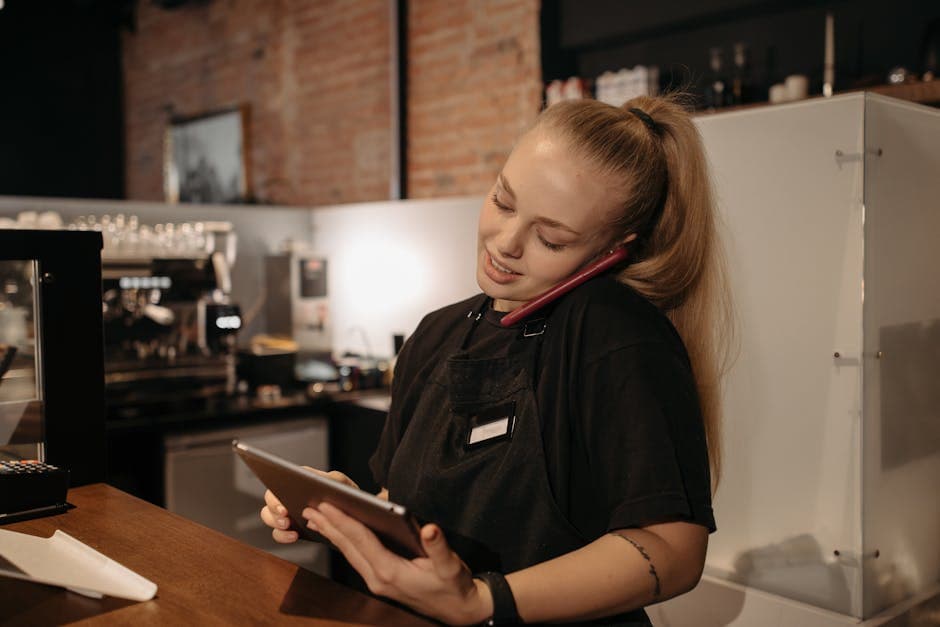
Designate an order station. Whether it's a tablet on the counter or a printer in the kitchen, online orders need a dedicated spot where they're visible and won't get lost in the shuffle.
Set realistic prep times. If you tell customers their food will be ready in 15 minutes and it consistently takes 30, you'll get bad reviews fast. Be honest about your prep times, especially during peak hours. Most platforms let you adjust estimated times based on how busy you are.
Create a pickup workflow. Decide where online order customers will pick up. A dedicated shelf or counter area keeps things organized and prevents confusion between dine-in orders and takeout. Label bags clearly with the customer's name and order number.
Train your team. This is often overlooked. Walk your staff through the new system before you go live. Show them how orders come in, how to confirm them, how to handle modifications, and what to do if something goes wrong. A 30-minute training session can prevent a week of headaches.
Step 4: Connect Online Ordering to Your Website and Social Media
You've set up the system and your menu looks great. Now customers need to actually find it. The biggest mistake restaurants make after they create online ordering is burying the link where nobody can see it.
Put it front and center on your website. Your "Order Online" button should be the most prominent thing on your homepage. Not tucked into a navigation menu. Not hiding at the bottom of the page. Right at the top, in a contrasting color, impossible to miss. If your website is outdated or doesn't have a clear spot for this, it might be time for a refresh.
Add it to your Google Business Profile. Google lets you add an ordering link directly to your business listing. When someone searches for your restaurant, they can tap "Order Online" right from the search results. This is free and takes about two minutes to set up.
Link it from your social media profiles. Your Instagram bio, your Facebook page, your TikTok profile. Every social channel should have a direct link to your online ordering page. When you post a photo of today's special, customers should be one tap away from ordering it.
Use it in email campaigns. If you're collecting customer emails (and you should be), every email you send should include a link to order online. Weekly specials, holiday menus, new item announcements. Always make it easy to convert interest into an order.
Step 5: Launch, Promote, and Keep Improving
Going live with online ordering isn't a one-time event. It's the start of an ongoing process.
Start with a soft launch. Before you blast it out to everyone, test it with a small group. Ask your regulars to place a few orders and give you honest feedback. Are the descriptions clear? Did the food arrive at the right temperature? Was the pickup process smooth? Fix any issues before you scale up.
Promote it consistently. Put table tents in your dining room. Add a line to the bottom of your receipts. Mention it when customers call in. Post about it on social media at least once a week. The restaurants that see the best results from online ordering are the ones that actively remind customers it exists.
Watch your data. Most ordering platforms give you dashboards showing your top-selling items, average order value, peak ordering times, and repeat customer rates. Use this information. If a menu item never gets ordered online, maybe the description or photo needs work. If Friday nights are your busiest online period, consider running a Friday-only promotion to boost it further.
Ask for feedback and reviews. After a customer places an online order, follow up. A simple "How was everything?" email can surface problems you didn't know about and encourage happy customers to leave a Google review.
Frequently Asked Questions
How much does it cost to set up online ordering for a restaurant? It varies widely. Third-party marketplaces charge 15% to 30% per order. First-party platforms typically charge a flat monthly fee ranging from $50 to $300 per month, with little or no per-order commission. For most independent restaurants, a flat-fee first-party system pays for itself within the first month.
Do I need a new website to create online ordering? Not necessarily. Many ordering platforms give you a standalone ordering page with its own link. You can share that link anywhere, even if your website is basic. That said, having a modern, mobile-friendly website with an integrated ordering button will give you the best results.
Can I still use DoorDash or Uber Eats if I have my own ordering system? Absolutely. Many restaurants use third-party apps for discovery and new customer acquisition while steering repeat customers toward their direct ordering channel. The goal is to gradually shift more volume to your own system where you keep the full margin.
What if I only do dine-in? Do I still need online ordering? Even dine-in-focused restaurants benefit from online ordering. Customers use it for takeout, pre-ordering before they arrive, and catering requests. It also gives you a digital channel to build a customer database for future marketing.
How do I get customers to order directly instead of through third-party apps? Offer a small incentive. A 10% discount on first direct orders, a free side, or a loyalty reward can be enough to change behavior. Make sure your direct ordering link is everywhere: your website, Google listing, social media, and even printed on your to-go packaging.
Start Taking Orders on Your Terms
Creating online ordering for your restaurant is one of the highest-impact moves you can make as an independent owner. It puts you in control of your customer relationships, protects your margins, and gives you the data you need to grow smarter.
The steps are straightforward. Pick a platform that respects your revenue. Build a menu that's optimized for digital. Get your team ready. Make the ordering link impossible to miss. Then promote it, track the results, and keep improving.
If you want to simplify the process even further, platforms like SWIPEBY are built specifically for independent restaurants and include commission-free online ordering alongside tools for marketing and customer engagement. It's worth exploring if you want everything in one place without the tech headaches.
Whatever path you choose, the important thing is to start. Every day without your own online ordering system is a day you're leaving money and customer relationships on the table.
SWIPEBY AI
Interested in Increasing Sales Using AI?
Book a demo today and learn how SWIPEBY can help you automate marketing, serve more guests, and grow revenue without working more hours.