March 25, 2026
Social Media for Restaurants: A Practical Guide
If you own an independent restaurant, you've probably heard it a thousand times: "You need to be on social media." And deep down, you know it's true. Your customers are scrolling Instagram and Facebook every single day, often right around the time they're deciding where to eat. But between running a kitchen, managing staff, dealing with vendors, and actually serving guests, social media for restaurants can feel like one more impossible thing on your already overflowing plate.
Here's the good news: you don't need to become a social media guru or hire an expensive agency to make it work. In this guide, you'll learn exactly which platforms matter, what to post, how often to post, and how to turn followers into paying customers, all in a way that's realistic for a busy restaurant owner.
Why Social Media for Restaurants Actually Matters
Let's get one thing straight: social media isn't just for trendy cafés and celebrity chefs. It's a fundamental marketing channel for every restaurant — whether you're running a family-owned pizzeria, a taco truck, or a fine dining spot.
Here's what social media does for your restaurant when you use it consistently:
- Keeps you top of mind. People eat out multiple times a week. When your food shows up in their feed, you become part of their mental shortlist.
- Builds trust before the first visit. New customers almost always check your social profiles before walking in. An active, appetizing feed tells them you're open, you care, and the food looks great.
- Drives direct orders. A well-timed post about your lunch special or weekend brunch can translate directly into orders — especially if you link to your own online ordering system.
- Creates word of mouth at scale. When a customer tags you in a photo or shares your post, their entire network sees it. That's free advertising you can't buy.
The restaurants that struggle with social media aren't struggling because it doesn't work. They're struggling because they don't have a system — which is exactly what we'll fix in this article.
Choosing the Right Platforms (You Don't Need All of Them)
One of the biggest mistakes restaurant owners make is trying to be everywhere — Instagram, Facebook, TikTok, X (Twitter), Pinterest, YouTube. That's a recipe for burnout, not growth.
For most independent restaurants, two platforms are all you need: Instagram and Facebook.
Why Instagram and Facebook Come First
Instagram is the most food-friendly platform on the internet. It's visual, it's where people discover new restaurants, and the algorithm rewards consistent posting with real photos. If you can only pick one platform, pick Instagram.
Facebook still has enormous reach, especially with diners over 35. It's where people check your hours, read reviews, look at your menu, and share recommendations with friends. Your Facebook Business Page is essentially a second website.
Together, these two platforms cover the vast majority of your potential customers. And since Meta owns both, you can often create content once and share it to both platforms simultaneously — cutting your workload in half.
What about TikTok? If you enjoy making short videos or have a team member who does, TikTok can be a powerful bonus. But it's not essential for most independent restaurants, and it requires a different content style. Master Instagram and Facebook first, then expand if you have the bandwidth.
What to Post: Content Ideas That Actually Work
This is where most restaurant owners hit a wall. You open the app, stare at the screen, and think, "What am I supposed to post?" Here's a simple framework you can use every single week without running out of ideas.
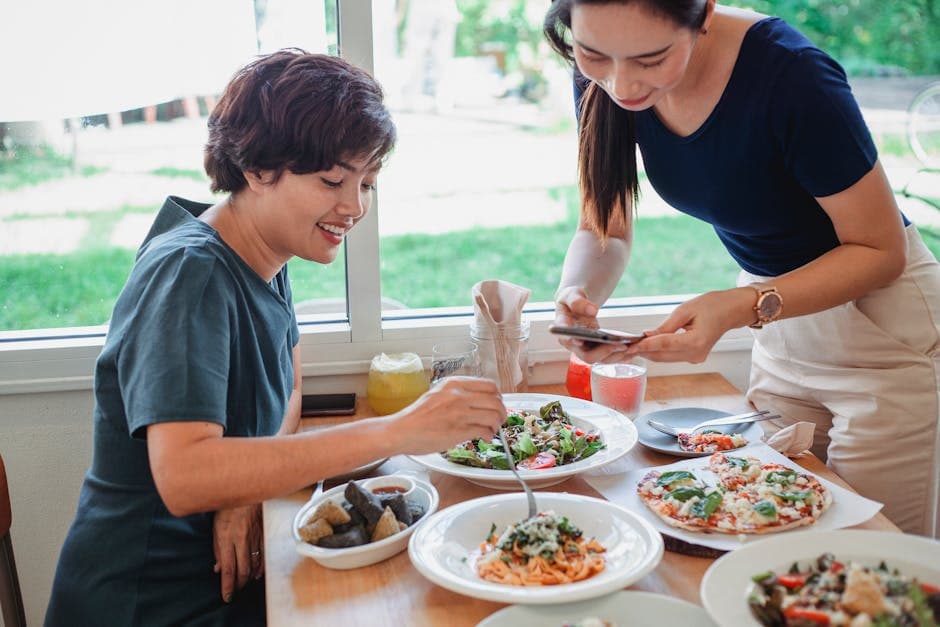
Food photos and videos. This is your bread and butter (pun intended). Snap photos of your best-looking dishes, film a quick behind-the-scenes video of your chef plating an entrée, or capture that satisfying cheese pull on a fresh pizza. Food content performs better than almost anything else on social media. You don't need a professional camera — a smartphone with decent lighting works great.
Your people. Customers want to know who's behind the food. Introduce your chef, highlight a longtime server, or show your team prepping for a busy Friday night. People connect with people, not logos.
Specials and promotions. Running a weekend brunch? Launching a new seasonal menu? Offering a deal for first-time online orders? Post about it. Social media is one of the fastest ways to spread the word about limited-time offers.
Customer love. When someone tags you in a post or leaves a glowing review, share it (with permission). User-generated content is incredibly persuasive because it's authentic. It's a real person telling their friends your food is worth trying.
Community and personality. Celebrate local events, shout out neighboring businesses, share your restaurant's story, or post something lighthearted that shows your personality. Not every post needs to be a hard sell. In fact, the best social media accounts mix promotion with genuine personality at roughly an 80/20 ratio. 80% value and engagement, 20% direct promotion.
Behind the scenes. The morning produce delivery, the prep cook making fresh pasta, the chaos of a Saturday night rush. People are fascinated by what happens behind the kitchen door. This type of content humanizes your restaurant and keeps followers engaged.
How Often to Post (And How to Stay Consistent)
Consistency beats perfection every time. A restaurant that posts three solid photos a week will outperform one that posts ten times in a burst and then goes silent for a month.
Here's a realistic posting schedule for a busy restaurant owner:
- Instagram: 3–4 feed posts per week, plus a few Stories throughout the week
- Facebook: 3–4 posts per week (can mirror your Instagram content)
That's roughly one post every other day, very doable if you batch your content. Set aside 30 minutes once a week to take photos, write a few captions, and schedule everything in advance. Most social media scheduling tools let you queue up a full week's worth of content in one sitting.
Of course, even 30 minutes a week can feel like a lot when you're already working 60-hour weeks. This is exactly why many restaurant owners are turning to AI-powered tools that handle social media automatically. Platforms like SWIPEBY's AI Social Media Marketing can generate restaurant-specific content and post it to Instagram and Facebook on your behalf so your accounts stay active even when you're deep in the dinner rush.
Turning Followers Into Customers
Having 5,000 Instagram followers feels nice, but it doesn't pay the bills. The real goal of social media for restaurants is getting people through the door or placing an order. Here's how to bridge that gap.
Make it easy to order. Include a direct link to your online ordering page in your Instagram bio and Facebook page. When you post about a special, tell people exactly how to get it: "Order now through our website - link in bio." The fewer clicks between your post and a completed order, the better.
Use calls to action. Every post doesn't need one, but your promotional posts should always tell people what to do next. "Reserve your table for Saturday," "Grab this week's special before it's gone," or "Tag someone who needs this in their life" are simple prompts that drive action.
Engage with your audience. When someone comments on your post, reply. When someone DMs you a question, answer it promptly. When someone tags you, acknowledge it. Social media is a two-way conversation, and restaurants that engage with their followers build significantly stronger loyalty than those that just broadcast.
Collect customer data. Social media is great for visibility, but the customers you can actually reach directly, through email, are even more valuable. Encourage your social media followers to sign up for your email list or join a loyalty program. That way, you're not entirely dependent on algorithms to reach your audience.
Common Mistakes to Avoid
Before we wrap up, let's talk about what NOT to do. These are the most common social media mistakes I see independent restaurants make:
- Inconsistency. Posting five times one week and disappearing for three weeks is worse than posting twice a week every week. Algorithms reward consistency, and so do customers.
- Low-quality food photos. You don't need a professional photographer, but you do need good lighting. Natural light near a window works wonders. Avoid flash, overhead fluorescent lighting, and cluttered backgrounds.
- Only posting promotions. If every single post is "BUY THIS," people will tune out. Mix in storytelling, behind-the-scenes content, and community posts.
- Ignoring comments and messages. Social media is social. If people feel ignored, they'll stop engaging and the algorithm will show your posts to fewer people as a result.
- Not having a link to your online ordering. This one is surprisingly common. If someone sees your food and wants to order, make it effortless for them to do so.
Frequently Asked Questions
How much should a restaurant spend on social media?
You can run effective social media for free, organic posting costs nothing but your time. If you want to boost posts or run ads, even $100–$200 per month on Facebook and Instagram ads can make a meaningful difference for a local restaurant. If time is your biggest constraint, investing in an AI-powered social media tool can pay for itself by keeping your accounts active without the labor cost of doing it manually.
What's the best time to post on social media for restaurants?
Generally, posting during the late morning (10–11 AM) and early evening (5–7 PM) works well for restaurants because these are the times people start thinking about their next meal. However, every audience is slightly different. Check your Instagram Insights to see when your specific followers are most active and adjust accordingly.
Do I need to use hashtags?
Hashtags still help with discovery on Instagram, though their importance has decreased somewhat as the platform relies more on AI-powered recommendations. Use 5–10 relevant hashtags per post, mixing broad ones (#foodie, #restaurantlife) with local ones (#dallaseats, #chicagofood, #austinrestaurants). Don't go overboard. 30 hashtags looks spammy.
Should I hire someone to manage my restaurant's social media?
It depends on your budget and capacity. A dedicated social media manager (freelance or part-time) can cost $2,000 or more per month. For many independent restaurants, that's a significant expense. AI-powered alternatives can handle much of the content creation and posting at a fraction of the cost, making them a smart middle ground between doing everything yourself and hiring a specialist.
Is it worth responding to negative comments on social media?
Absolutely — but calmly and professionally. A thoughtful response to a negative comment actually builds trust with everyone else reading it. Acknowledge the concern, apologize if appropriate, and offer to make it right offline ("We'd love to discuss this. Please DM us or call us directly"). Never argue publicly.
Start Simple, Stay Consistent, and Grow
Social media for restaurants doesn't have to be complicated, time-consuming, or stressful. Start with Instagram and Facebook. Post appetizing food photos, show the people behind the kitchen, and engage with your community. Be consistent. Make it easy for followers to order from you directly.
And if you're an owner who simply doesn't have the time, or the interest, to manage yet another part of your business, that's perfectly okay. Tools like SWIPEBY exist specifically to take the social media burden off your plate, using AI to create and publish restaurant content automatically so you can focus on what you do best: cooking great food and taking care of your guests.
The restaurants that win on social media aren't the ones with the biggest budgets or the fanciest cameras. They're the ones that show up consistently and authentically. You can be one of them starting today.
SWIPEBY AI
Interested in Increasing Sales Using AI?
Book a demo today and learn how SWIPEBY can help you automate marketing, serve more guests, and grow revenue without working more hours.