March 30, 2026
What Is a POS System in a Restaurant?
If you've ever wondered "what is a POS system in a restaurant?" you're asking one of the most important questions for your business. POS stands for point of sale, and it's the system you use to ring up orders, process payments, and keep track of what's happening in your restaurant every single day. But modern POS systems do a whole lot more than just handle transactions. They can manage your menu, track inventory, generate sales reports, and even connect to online ordering and marketing tools.
Whether you're opening your first restaurant or thinking about upgrading from an outdated setup, understanding how a POS system works will help you make smarter decisions, save money, and run a tighter operation. In this guide, we'll walk through everything you need to know in plain English. No tech jargon, no sales pitch. Just practical advice you can actually use.
How a POS System Works in a Restaurant
At its core, a POS system in a restaurant is where the sale happens. A server enters an order on a screen, the order gets sent to the kitchen, the customer pays, and the system records the transaction. That's the basic flow. But the "system" part is what makes it powerful.
A modern restaurant POS system typically includes a few key pieces of hardware and software working together:
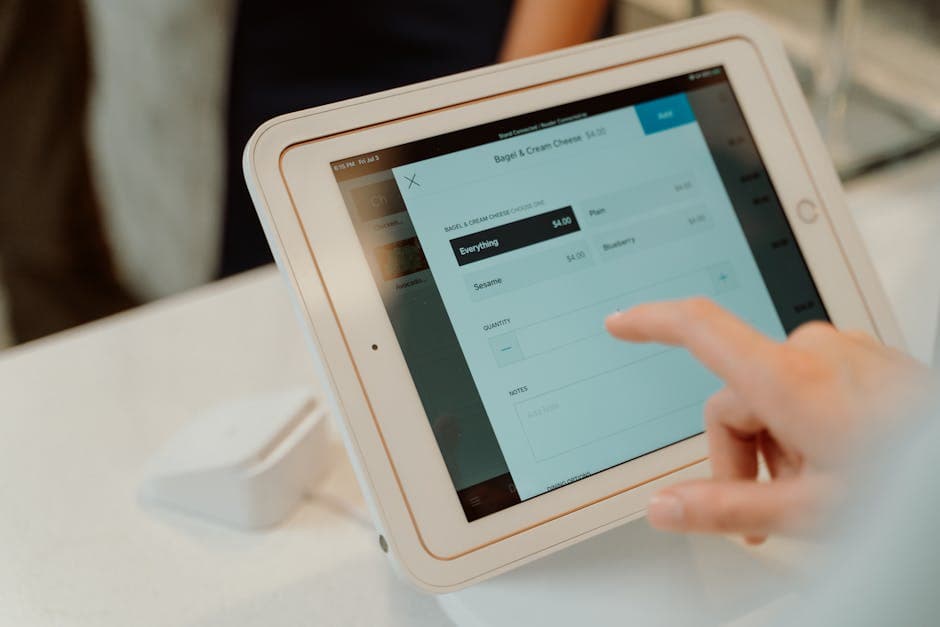
- A touchscreen terminal or tablet where staff enter orders and process payments.
- A card reader for accepting credit cards, debit cards, and mobile payments like Apple Pay.
- A receipt printer (though many restaurants are moving to digital receipts).
- A kitchen display system or printer that sends orders directly to the kitchen.
- Back-office software that tracks your sales data, menu items, employee hours, and more.
Everything runs through a central software platform, which is usually cloud-based these days. That means you can check your sales numbers from your phone while you're at home, or update your menu from a laptop without being on-site.
Cloud-Based vs. Legacy POS Systems
You'll hear people talk about "legacy" or "traditional" POS systems versus cloud-based ones. Legacy systems store everything locally on a server at your restaurant. If that server goes down, you could lose data or be unable to take orders. Cloud-based POS systems store your data online, so it's backed up automatically and accessible from anywhere.
For most independent restaurant owners, a cloud-based system is the better choice. It's usually less expensive upfront, easier to update, and simpler to integrate with other tools like online ordering platforms and marketing software.
Why Your Restaurant Needs a Good POS System
You might be thinking, "I've been getting by with what I have. Why change?" That's fair. But a good POS system in a restaurant isn't just about processing payments. It's about giving you visibility into your business so you can make better decisions.
Here's what a solid POS system helps you do:
Speed up service. When orders go straight from the server's screen to the kitchen display, there are fewer mistakes and less waiting. Your kitchen team gets clear, organized tickets instead of trying to read handwriting on a paper slip.
Track what's selling. Your POS generates reports showing which menu items are popular, which ones aren't moving, and what your peak hours look like. This helps you make smarter decisions about your menu, staffing, and promotions.
Manage your team. Most POS systems let you track employee hours, manage shift schedules, and even monitor individual server performance. This saves you from dealing with a separate timekeeping system.
Reduce theft and errors. When every transaction is logged digitally, it's much harder for money to go missing. You can track voids, comps, and discounts to spot anything unusual.
Accept more payment types. Customers expect to pay with cards, phones, and sometimes even QR codes. A modern POS system lets you accept all of these without any hassle.
The bottom line is that your POS system is the central nervous system of your restaurant. When it works well, everything runs smoother. When it doesn't, you feel it everywhere.
What to Look For When Choosing a Restaurant POS System
This is where a lot of restaurant owners get overwhelmed. There are dozens of POS providers out there, and they all claim to be the best. Here's how to cut through the noise and focus on what actually matters for an independent restaurant.
Ease of use. You and your staff shouldn't need a computer science degree to operate your POS. Look for a system with a clean, intuitive interface. If you can't train a new server on it in under an hour, it's probably too complicated.
Transparent pricing. Watch out for hidden fees. Some POS companies charge low monthly rates but tack on extra costs for things like payment processing, additional terminals, customer support, or software updates. Ask for a full breakdown before you sign anything.
Reliable customer support. When your POS goes down during a Friday night dinner rush, you need help immediately. Make sure your provider offers real support, ideally by phone, not just an email form or chatbot.
Integration with online ordering. This is a big one. If your POS doesn't connect with your online ordering system, you'll end up managing two separate workflows. That means more room for error and more time wasted. Look for a POS that integrates with first-party online ordering tools so orders flow seamlessly into your kitchen. Platforms like SWIPEBY offer online ordering that can connect with various POS systems, helping you avoid the heavy commission fees that come with third-party marketplaces.
Menu management flexibility. You should be able to update your menu, change prices, add specials, and adjust modifiers without calling tech support. The best systems make this quick and painless.
Reporting and analytics. You want a POS that gives you clear, actionable reports. Daily sales summaries, labor cost percentages, food cost tracking, and trend analysis are all features worth having.
The Relationship Between Your POS and Your Marketing
Here's something most POS companies won't tell you. Your POS system collects incredibly valuable data about your customers, but most restaurant owners never use it for marketing. Every transaction tells you something: what people ordered, when they visited, how much they spent, and how often they come back.
When your POS data connects with your marketing tools, you can do things like send an email to customers who haven't visited in 30 days, or promote a new menu item to people who ordered something similar before. This is called remarketing, and it's one of the most cost-effective ways to drive repeat business.
The problem is that most POS systems don't come with built-in marketing features. You end up needing a separate email tool, a separate social media scheduler, a separate review management platform, and maybe even a separate phone answering service. Before you know it, you're juggling five or six different subscriptions, none of which talk to each other.
This is exactly the kind of problem that SWIPEBY was built to solve. Instead of piecing together a dozen different tools, it brings email remarketing, social media content, review management, and phone answering into one AI-powered platform designed specifically for restaurants. Your POS handles the transactions. SWIPEBY handles everything that brings customers in and keeps them coming back.
Common POS Mistakes Independent Restaurants Make
Even with the best system in the world, there are pitfalls to watch out for. Here are some of the most common mistakes we see independent restaurant owners make with their POS.
Overpaying for features you don't need. Enterprise-level POS systems come with features designed for hotel chains and stadium concessions. You don't need inventory management for 47 locations. Pick a system built for restaurants your size.
Not training your staff properly. A POS system is only as good as the people using it. Take the time to train everyone thoroughly, not just on how to ring up orders, but on how to handle voids, discounts, and end-of-day closeouts. A little training up front saves a lot of headaches later.
Ignoring payment processing rates. The difference between 2.5% and 3.5% processing fees might not sound like much. But if you're doing $1 million in annual revenue, that's $10,000 a year. Always compare processing rates across providers.
Forgetting about online ordering integration. If your POS and your online ordering system don't sync, you're setting your team up for mistakes. Double entries, missed orders, and incorrect prep times will cost you money and frustrate your customers.
Not reviewing your reports. Your POS is generating valuable data every day. If you're not looking at your sales reports at least weekly, you're flying blind. Set a regular time to review the numbers and look for trends.
Frequently Asked Questions
How much does a POS system cost for a restaurant? Costs vary widely. Basic cloud-based systems can start around $50 to $100 per month for software, plus hardware costs for terminals and card readers that might range from $500 to $2,000. More advanced systems with additional features can run $200 to $400 per month or more. Always factor in payment processing fees, which are usually a percentage of each transaction.
Can I use a tablet as my POS system? Yes. Many modern POS systems run on iPads or Android tablets, which makes them affordable and easy to set up. Just make sure the tablet is durable enough for a restaurant environment and that you have a reliable internet connection since most tablet-based systems are cloud-based.
What is the difference between a POS system and a cash register? A cash register simply records sales and stores cash. A POS system does everything a cash register does, plus it tracks inventory, generates reports, manages employee schedules, processes multiple payment types, and integrates with other tools like online ordering and marketing platforms. It's a much more complete solution for running a restaurant.
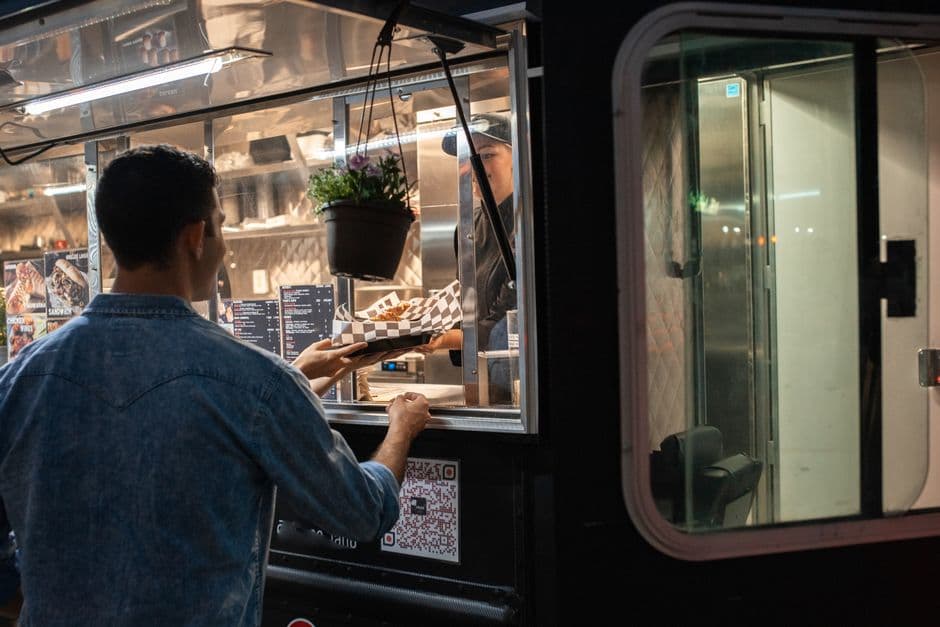
Do I need a POS system if I have a small restaurant? Even if you're running a small cafe or a single food truck, a POS system will save you time and help you understand your business better. The data alone, knowing what sells, when your busy times are, and what your average ticket size looks like, is worth the investment.
How long does it take to set up a new POS system? Most cloud-based systems can be set up in a few days to a couple of weeks, depending on the complexity of your menu and how much data you're migrating from an old system. Hardware setup is usually straightforward, and most providers offer onboarding support to get you started.
Making the Right Choice for Your Restaurant
Choosing a POS system is one of the most important technology decisions you'll make for your restaurant. It affects your daily operations, your staff's efficiency, your customers' experience, and your ability to understand and grow your business.
Take your time with this decision. Demo a few systems, ask other restaurant owners in your area what they use, and make sure whatever you choose integrates well with the other tools you rely on. Your POS should make your life easier, not add another headache.
And remember, your POS is just one piece of the puzzle. The real magic happens when your operations and your marketing work together. If you're looking for a simple way to tie everything together, from online ordering to social media to review management, SWIPEBY was built for restaurant owners like you. It's worth a look, especially if you're tired of juggling too many tools and not seeing enough results.
SWIPEBY AI
Interested in Increasing Sales Using AI?
Book a demo today and learn how SWIPEBY can help you automate marketing, serve more guests, and grow revenue without working more hours.